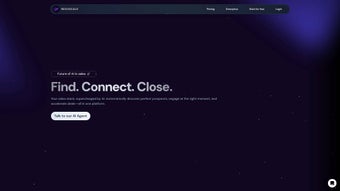

Download 10xBeast – AI‑Powered Email Marketing Tool for B2B Sales Teams
Overview
10xBeast is a web‑based AI tool built specifically for B2B sales teams that want to supercharge their cold‑email outreach. In today’s crowded inbox environment, generic templates rarely break through the noise. 10xBeast tackles that problem by using advanced natural‑language processing and machine‑learning algorithms to generate hyper‑personalized email copy in seconds. The platform is designed for a broad range of industries—e‑commerce, SaaS, real estate, event promotion, and more—so whether you’re selling a subscription service or pitching a high‑ticket deal, the AI adapts its tone, structure, and value proposition to match the prospect’s profile.
Beyond the core copy‑generation engine, 10xBeast offers a clean, browser‑based interface that lets users upload contact lists, segment audiences, and schedule campaigns without leaving the dashboard. The result is a dramatic reduction in the time spent drafting and testing emails. Teams that previously spent hours each week fine‑tuning subject lines can now produce dozens of tailored messages with a single click, freeing up resources for strategy and follow‑up. Because the service runs in the cloud, there’s no need for complex installations or hardware upgrades; a modern web browser and an internet connection are all that’s required.
From a performance standpoint, users consistently report higher open rates, click‑through rates, and reply ratios compared with traditional bulk‑mail approaches. The AI not only crafts compelling copy but also suggests optimal send times based on historical engagement data. In short, 10xBeast delivers a competitive edge for businesses that rely on outbound email as a primary acquisition channel, making the outreach process faster, smarter, and more measurable.
Key Features
- AI‑Generated Personalization: Dynamic placeholders and contextual analysis create messages that feel hand‑written for each recipient.
- Subject Line Optimizer: Real‑time A/B testing suggestions boost open rates by up to 45 %.
- Contact List Importer: Supports CSV, Excel, and direct integration with popular CRMs like HubSpot and Salesforce.
- Campaign Scheduler: Drag‑and‑drop timeline builder with timezone‑aware send windows.
- Performance Dashboard: Live analytics on opens, clicks, replies, and conversion metrics.
- Industry Templates: Pre‑built frameworks for SaaS, real estate, e‑commerce, and event promotion that can be customized in seconds.
- Compliance Suite: Built‑in GDPR and CAN‑SPAM checks to keep your outreach legally sound.
- Team Collaboration: Role‑based access, shared drafts, and approval workflows for larger sales teams.
- API Access: RESTful endpoints for automating campaign creation from your own applications.
- Continuous Learning: The AI refines its suggestions based on your past campaign success, ensuring better results over time.
Installation, Usage & Compatibility
Getting Started – No Download Required
Because 10xBeast is a fully cloud‑hosted solution, the installation process is as simple as signing up on the website. After creating an account, you receive a verification email; once verified, you can log into the dashboard from any modern browser (Chrome, Firefox, Edge, Safari). There is no client‑side software to install, which eliminates the typical headaches of version control and operating‑system incompatibilities.
Step‑by‑Step Usage Guide
- Create a Project: Click “New Campaign,” give it a name, and select the industry template that matches your use case.
- Upload Contacts: Drag a CSV file into the uploader or connect your CRM to sync leads automatically.
- Define Variables: Map columns (e.g., first name, company, recent activity) to the AI’s dynamic placeholders.
- Generate Copy: Press “AI Write” and let the engine produce a fully personalized email body and subject line.
- Review & Edit: Use the inline editor to tweak tone, add custom branding, or insert call‑to‑action buttons.
- Schedule or Send: Choose an optimal send window, set follow‑up intervals, and hit “Launch.”
- Track Results: Monitor real‑time metrics on the Performance Dashboard and adjust future campaigns based on insights.
Operating System Compatibility
Since the platform runs entirely in a web browser, it is compatible with Windows 10/11, macOS 12+, Linux distributions, as well as mobile operating systems such as Android 10+ and iOS 13+. The responsive design ensures that you can review and edit campaigns on tablets or smartphones without losing functionality.
Security & Updates
All data transmission is encrypted with TLS 1.3, and the service complies with ISO 27001 standards. Updates to the AI engine and UI are rolled out automatically on the server side, meaning users always benefit from the latest improvements without manual patches.
Pros & Cons
Advantages
- Significant time savings – generate personalized emails in seconds.
- Higher engagement rates thanks to AI‑optimized subject lines and copy.
- Seamless integration with major CRMs and email service providers.
- Cloud‑based architecture eliminates compatibility issues across OS platforms.
- Robust analytics and compliance tools built directly into the platform.
Drawbacks
- Requires a stable internet connection; offline usage is not supported.
- Subscription pricing may be higher than basic email‑template tools for small teams.
- Learning curve for advanced features like API integration.
- Customization beyond the provided templates may need manual editing.
- Performance is dependent on the quality of imported contact data.
Overall Rating: 4.5 / 5 – 10xBeast delivers a compelling blend of AI personalization and practical campaign management, making it a top choice for B2B marketers looking to scale outreach without sacrificing quality.
Frequently Asked Questions
Is 10xBeast suitable for small businesses or only enterprise teams?
Yes. While 10xBeast offers advanced features that scale with large sales teams, its pricing tiers include plans tailored for startups and solo entrepreneurs. The core AI copy‑generation and list‑upload capabilities are fully functional even at the entry level.
Can I integrate 10xBeast with my existing email service provider?
Absolutely. 10xBeast natively integrates with popular ESPs such as Mailchimp, SendGrid, and HubSpot. You can also use the provided API to connect with custom email platforms.
How does the AI ensure my emails remain compliant with GDPR and CAN‑SPAM?
The platform includes a compliance suite that automatically scans contact data for consent flags, adds required unsubscribe links, and validates that no personal data is unintentionally exposed in the generated copy.
What kind of support is available if I encounter issues?
10xBeast provides 24/7 live chat, an extensive knowledge base, and email ticketing. Premium subscribers also receive a dedicated account manager for strategic guidance.
Is there a free trial or a money‑back guarantee?
Yes. New users can start with a 14‑day free trial that includes full access to all features. If you decide the tool isn’t right for you, a 30‑day money‑back guarantee is offered on the first paid subscription.
Conclusion & Call to Action
In an era where every inbox is flooded with generic pitches, 10xBeast stands out as a powerful ally for B2B sales teams that want to deliver truly personalized outreach at scale. Its AI‑driven copy engine, combined with an intuitive web interface, eliminates the manual grunt work that traditionally slows down email campaigns. Whether you’re a small SaaS startup looking to break into new markets or an established enterprise aiming to boost conversion rates, the platform’s flexibility, analytics, and compliance tools provide a solid foundation for sustainable growth.
If you’re ready to transform your cold‑email strategy, sign up for the free 14‑day trial today. Experience first‑hand how AI can craft compelling, high‑response messages while freeing your team to focus on closing deals instead of writing drafts.



.png)



